
Your AI Agent Already Had File Access. Here's Why Obsidian CLI Changes Everything Anyway.
Obsidian 1.12 shipped a CLI. The internet yawned — "agents could already read files." They're missing the point entirely.
The Old Way: Agents With File Tools
If you've been running AI agents against an Obsidian vault, you know the drill. Your agent gets file read/write access, and suddenly it can "work with" your notes.
Except "work with" is doing a lot of heavy lifting.
Here's what actually happens when an agent needs to find every note linked to a specific concept in your vault:
# Step 1: Find all markdown files
find ~/vault -name "*.md" -type f

# Step 2: Read each file looking for [[wikilinks]]
cat ~/vault/Projects/agent-architecture.md
# Parse the content, extract links manually

# Step 3: For each link found, read THAT file too
cat ~/vault/Concepts/retrieval-augmented-generation.md
# Parse again, find more links...

# Step 4: Repeat until you've mapped the graph
# (burning tokens on every single file read)
For a vault with 2,000 notes? Your agent just consumed a novella's worth of tokens reading raw markdown — most of which was irrelevant content surrounding the links it actually needed.
And that's just link traversal. Want to query frontmatter properties across your vault? Same story. Read every file, parse every YAML block, filter manually.
File tools give your agent literacy. They don't give it comprehension.
The New Way: obsidian eval
Obsidian 1.12's CLI isn't just "run commands from terminal." The killer feature is obsidian eval — it executes JavaScript inside Obsidian's running application, with full access to the app's internal APIs.
That means your agent can tap into everything Obsidian has already computed:
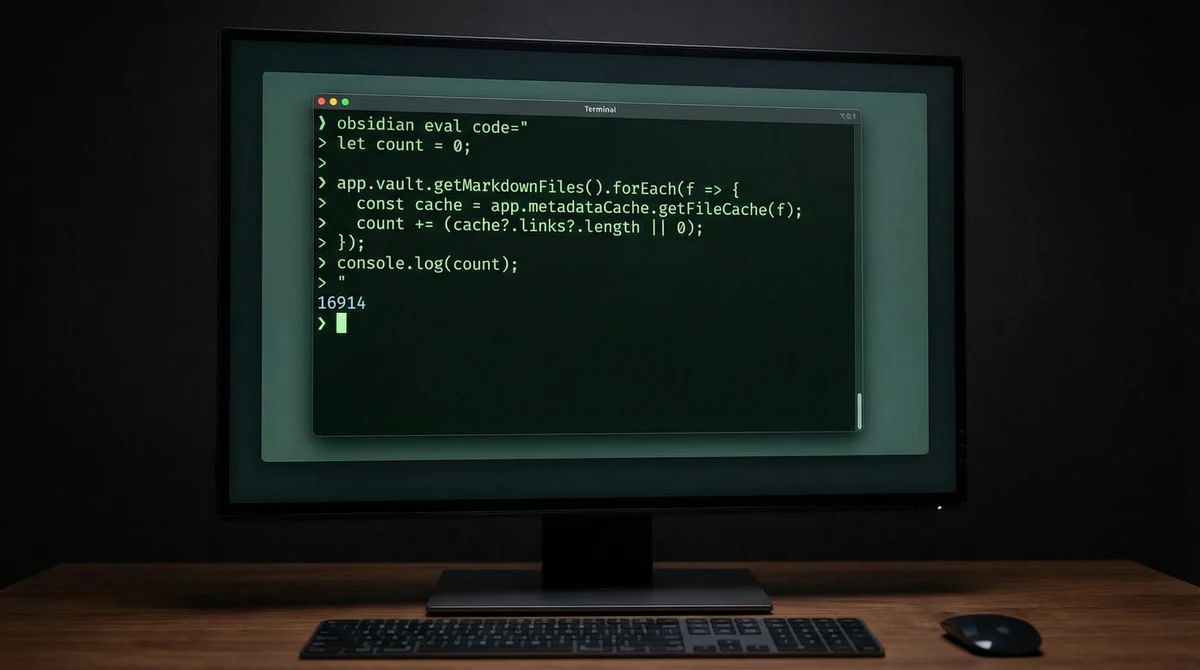
# Count every [[link]] in the entire vault — one call
obsidian eval code="
  let count = 0;
  app.vault.getMarkdownFiles().forEach(f => {
    const cache = app.metadataCache.getFileCache(f);
    count += (cache?.links?.length || 0);
  });
  console.log(count);
"
# Output: 16914
One command. One API call. No files read. No tokens wasted parsing markdown.
Compare that to the file tools approach: read 2,000+ files, regex for [[links]], count matches. Hundreds of thousands of tokens to get the same number.
Where It Actually Matters
The link-counting example is dramatic, but the real wins are subtler and more practical.
1. Frontmatter Queries Without File Scanning
Before (file tools):
# Read every file, parse YAML, check for matching tags
for file in ~/vault/**/*.md; do
  # Read file → extract YAML block → parse → check tag field
  # ~500-2000 tokens per file, most files irrelevant
done
After (CLI):
obsidian eval code="
  const files = app.vault.getMarkdownFiles();
  const tagged = files.filter(f => {
    const meta = app.metadataCache.getFileCache(f);
    return meta?.frontmatter?.tags?.includes('project-active');
  });
  tagged.forEach(f => console.log(f.path));
"
The metadata cache already exists in memory. Your agent queries it like a database instead of grep-ing through raw text.
2. Search That Uses the Index
Obsidian maintains a full-text search index. With file tools, your agent reimplements search from scratch every time — reading files, scanning content, ranking results. With the CLI, your agent can query the existing index directly — the same search engine you use in the app, available programmatically.
3. Plugin Interoperability
This is the one nobody's talking about yet. File tools can only see .md files on disk. The CLI can interact with plugins — Dataview queries, Templater templates, Canvas data, Bases views.
Your agent isn't limited to raw files anymore. It can operate at the same abstraction level as you do when you use Obsidian.
The Token Math
Let's make this concrete. A typical knowledge worker's vault: 1,500 notes, average 800 tokens each.
| Task | File Tools (tokens) | CLI (tokens) |
|---|---|---|
| Find all notes tagged "project" | ~1.2M (read all files) | ~200 (one eval call + response) |
| Map backlinks to one note | ~50K (read linked files) | ~150 (query backlink index) |
| List all frontmatter properties | ~1.2M (read all files) | ~300 (query metadata cache) |
| Full-text search | ~1.2M + processing | ~200 (query search index) |
The difference isn't 2x or 5x. It's three to four orders of magnitude for vault-wide operations.
This is the difference between an agent that costs $0.30 per vault query and one that costs $0.001.
What This Means for Agent Builders
If you're building agents that interact with knowledge bases, Obsidian CLI is the first major PKM tool to ship a proper programmatic interface that respects how agents actually work.
The pattern Obsidian got right:
- Pre-computed indexes — Don't make agents rebuild what the app already knows
- Eval, not just CRUD — Let agents run logic inside the application context
- Plugin access — Agents operate at the user's abstraction level, not the filesystem level
This is what every knowledge tool should ship. Not "API access to create and read notes" — that's just file tools with extra steps. Real agent support means exposing the computed knowledge layer that the application maintains.
Someone already built an MCP server for the Obsidian CLI within days of the announcement. That's how obvious this integration path is.
The Bigger Picture
We're at an inflection point in how AI agents interact with personal knowledge. The old model — give the agent file access and let it figure things out — works, but it's brutally expensive and slow.
Obsidian's approach says: the app already understands your knowledge graph. Let the agent ask the app instead of reverse-engineering it from raw files every time.
File tools gave agents the ability to read your notes.
The CLI gives them the ability to understand your vault.
That's not an incremental improvement. That's a category shift.
If you want to take this further — compiling your entire Obsidian folder into a single structured context note that any agent can read across sessions, from any surface — that's what BlackOps Brain does. Same philosophy: don't make the agent rebuild what you already know. Give it the compiled result.
Obsidian 1.12 with CLI support is available now in early access for Catalyst members. Learn more →
Your agent can already read files. What still breaks for you without a real vault CLI, or what actually changed once you got real file tools?
Reply on the X thread below. I read them.
This post came out of a Brain.
Talk through what you already know. BlackOps turns it into a structured knowledge base, then writes and publishes from it, to your own domain, X, LinkedIn, Threads, and your newsletter. No email until you have seen your Brain.
I wrote this post inside BlackOps, my content operating system for thinking, drafting, and refining ideas — with AI assistance.
If you want the behind-the-scenes updates and weekly insights, subscribe to the newsletter.
Related Posts

The Work Starts When the Thought Does
Self-healing software survives its bugs without changing a line. What I run against my projects changes the source. Logging the defect is what fires the work, and most days the completion email is the entirety of my involvement.

Your Obsidian Vault Is Full of Fossils.
If you use Obsidian, you have a daily note ritual. Open today's note. Pull up yesterday's. Copy the unfinished tasks forward. The daily note is supposed to be a living document. In practice, it's a stack of fossils you maintain by hand.

My First Week with OpenClaw: From Skeptic to Believer
I spent 10 days building an AI workforce. Then Anthropic made my tool change its name. This is the real story — crashes, renames, and shipping anyway.