
Every Version of My Obsidian Daily Note Since 2021
A template, a patched calendar tool, two iOS Shortcuts, a script, an overnight filer. Every rebuild took one chore off me. The newest one I just talk to.
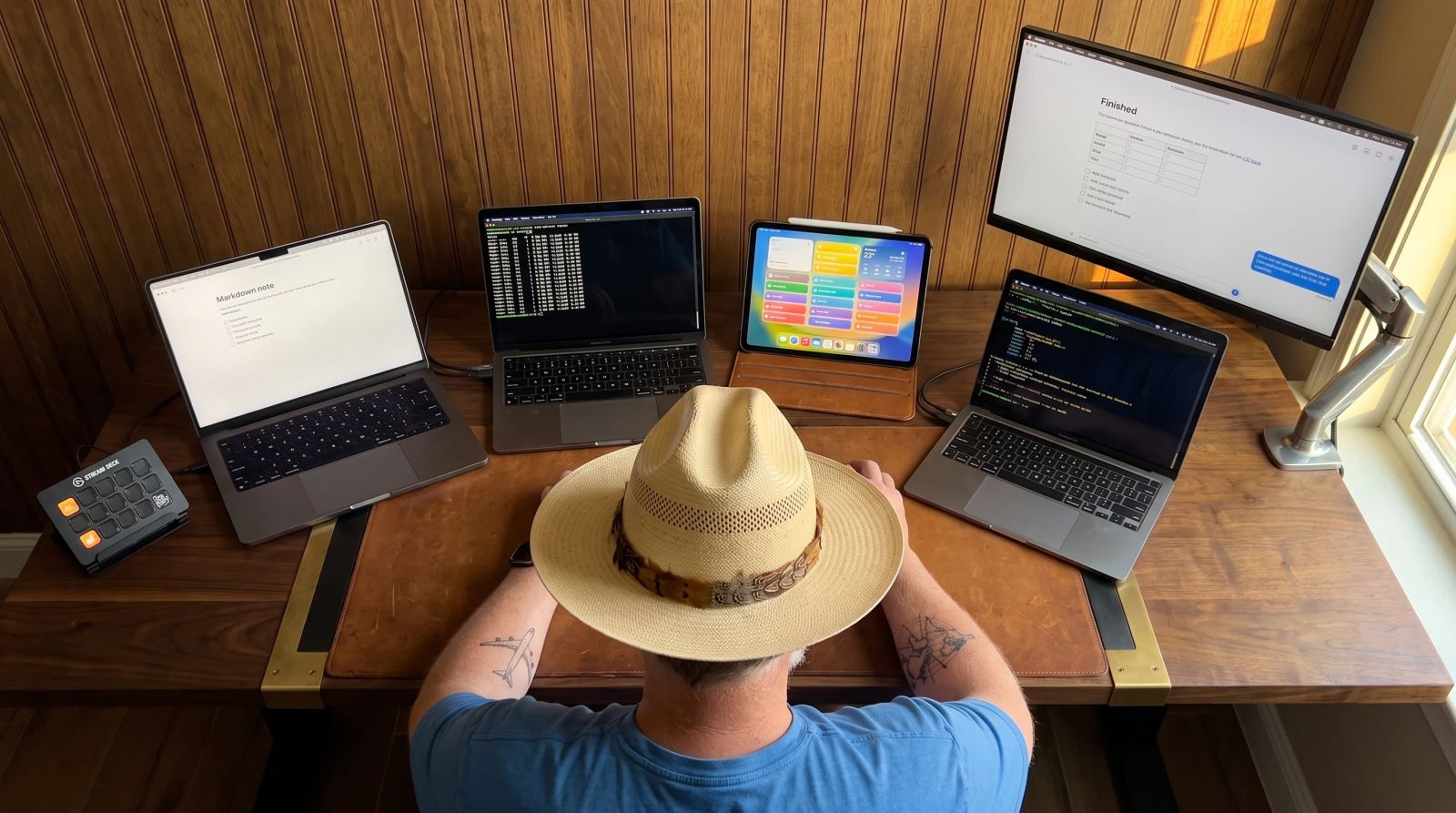
I've kept an Obsidian daily note since July 2021. I've rebuilt it more times than I want to count, and I wrote most of those rebuilds up as I went. The newest one I didn't build in Obsidian at all. BlackOps writes it every morning from my calendar, the todos I queued and my brains (collections of markdown notes, one per project or area), and I talk to it from whatever AI chat I have open.
The launch post on blackopscenter.com covers the product. This one is me going back through every version. Each one fixed something and left me the next thing to do by hand, and I wanted all of it in one place.
A template and a Stream Deck button
Version one was a Templater template. Start of day checklist, end of day checklist, Dataview and the Tasks plugin pulling in whatever was past due or due today. I had a Stream Deck button that opened today's note and I hit it constantly.
Everything else I typed. Meetings too. Some days I'd log the first meeting and never another one, then end up back in Outlook at the end of the day trying to figure out where my time went.
A couple weeks later I added my Readwise highlights with a dataviewjs block that looked for a date tag on each day's new highlights. That only worked because I changed Readwise's export template too. Which became the pattern for a while. Every new thing in the note needed a hack somewhere else.
Getting meetings out of Outlook
October 2021 I pulled meetings in with icalBuddy, a command-line tool that reads the macOS calendar, run from a Templater user function. Except the stock build couldn't see my calendars because of macOS permissions. So I installed a patched executable someone posted in a Keyboard Maestro forum thread.
It only worked on a Mac, and only if I created the note on the day it was for.
Shortcuts on the iPad
My days started early with offshore calls, and a lot of the time I was deep in a conversation before today's note even existed. So in March 2022 I built an iOS Shortcut to create the note from the template every morning. I built it on macOS first, then found out macOS Shortcuts couldn't run on a schedule yet. So it moved to the iPad. It was fragile too. Change a step to what it obviously should be and the whole thing broke.
Weather was next. A curl call to wttr.in through Templater, city hardcoded. Which needed the terminal again, which meant it didn't run when the iPad made the note. So I rebuilt it as a Shortcut that used the device location and swapped out a {{weather}} placeholder in the template.
At that point the note was Templater, Dataview, a patched calendar tool, two Shortcuts and me holding it together. Every piece worked and none of them knew the others existed.
A script that wrote it before I woke up
I didn't write about it again until May of this year. By then my daily planner was doing it, a scheduled Claude Code script that pulled my calendar, read the last seven days of vault notes, deduped completed tasks and laid out the day before I was up. The twenty minutes I used to burn every morning were gone.
But it only saw files. It figured out what was new from file dates and folder names, and it had no idea which project a note belonged to or whether a task was still open. So it guessed.
The captures filed themselves
In June I added overnight filing. I drop thoughts into a channel all day, and at 11pm an agent files them into the daily note, turns the actions into checkboxes and pushes stuff into tomorrow's note when that's where it goes.
That fixed the capture pile. The note itself was still the planner script's job though.
Now BlackOps writes it
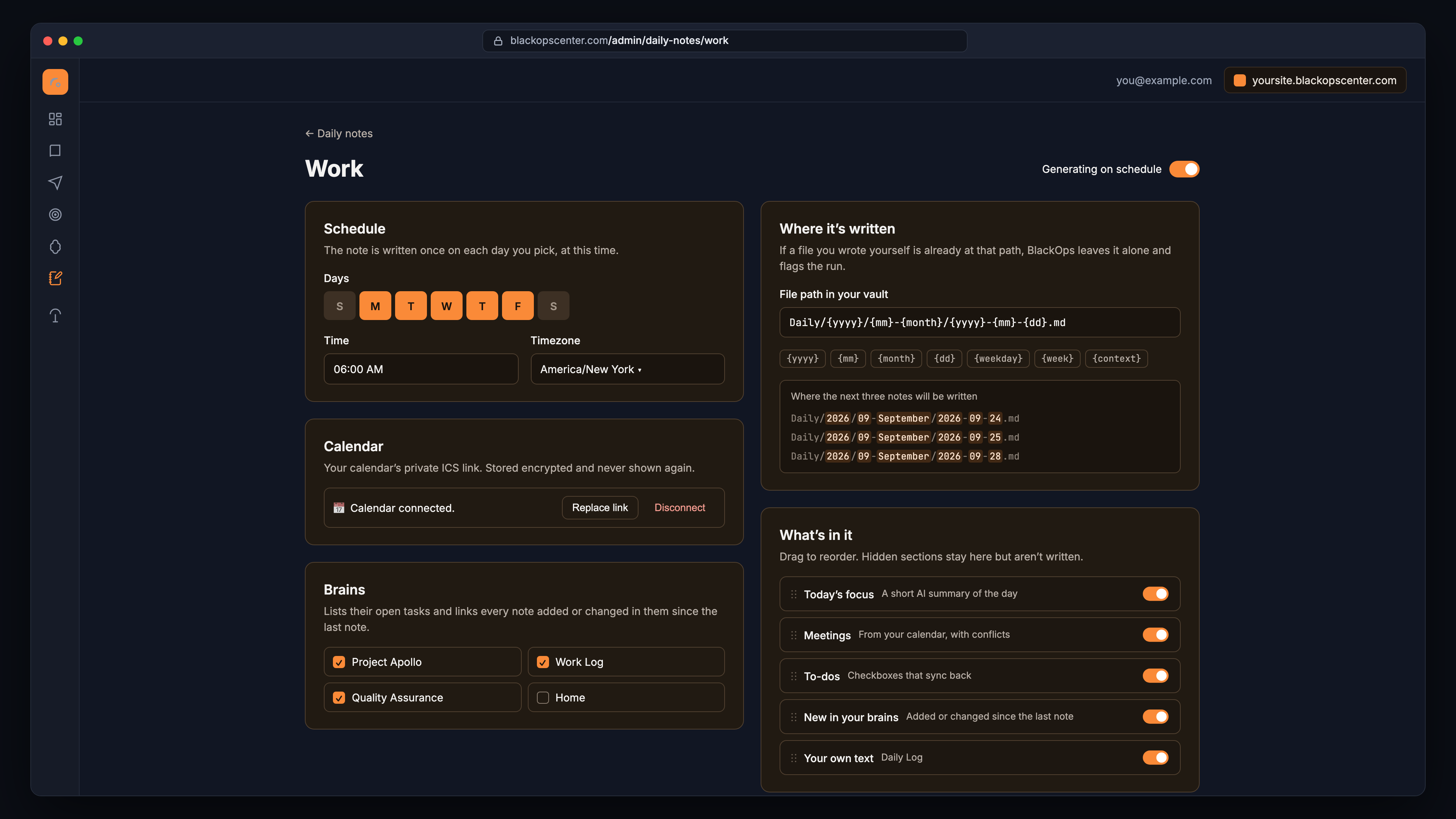
Now the note lives in BlackOps. It writes it on a schedule straight into my vault, and it actually knows which brain every note belongs to, when it changed, and what's still open.
Every morning I get:
- Meetings from my calendar through a private ICS link, join links included, with a warning when two overlap. It's a link instead of my Mac, so icalBuddy is finally gone.
- The todos I queued. The unfinished ones carry forward and tell me how many days I've been dodging them.
- Whatever my brains are waiting on me for.
- Every note added or changed in those brains since my last daily note.
- A short focus summary at the top, built only from what's already in the note.
One daily note was never enough anyway. Work and personal don't belong in the same file, so there's one for each, and you can add one per project. Each gets its own schedule, calendar, brains and folder. They're set up on a settings page, so there's no Shortcut to break.
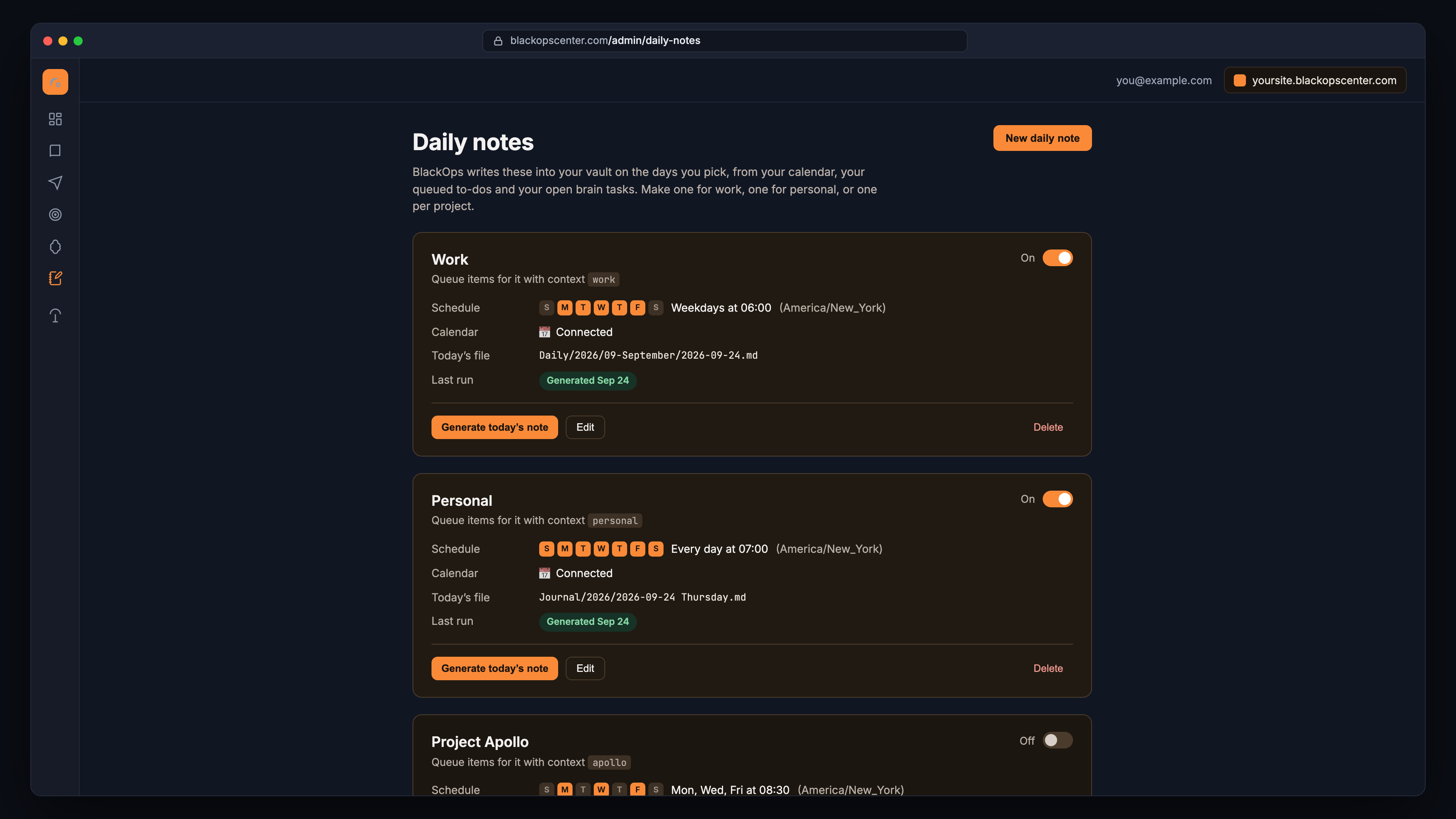
Everything about a note is on one page. The path takes date tokens so the note lands wherever your vault already keeps them.
Talking to it
I couldn't have built this one with any of the old setups. I'm in the middle of a conversation with whatever AI assistant I have connected to BlackOps, I say "put this in tomorrow's work note," and it's there in the morning. I never opened the file.
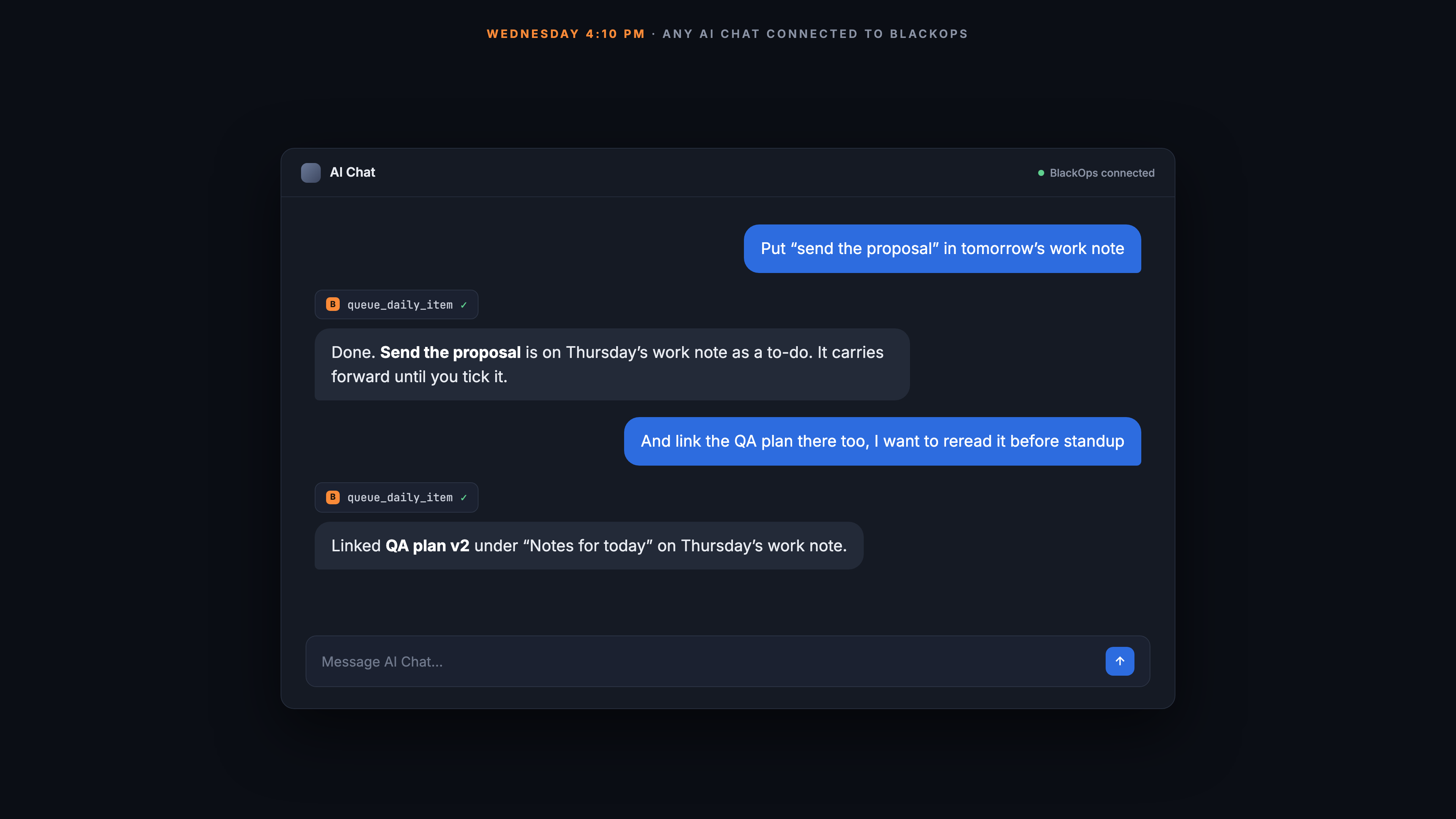
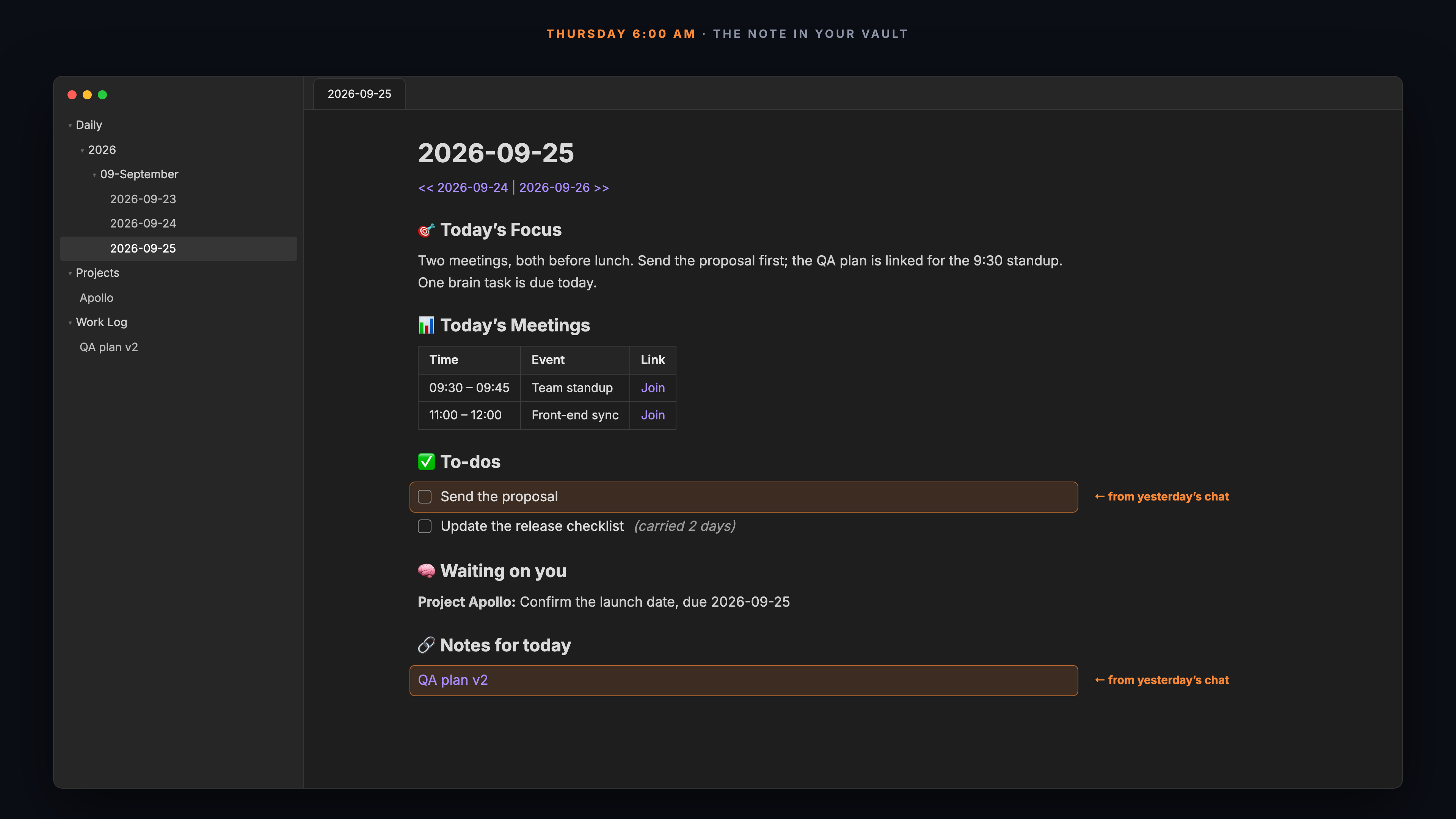
It goes the other way too. Every todo ends with a short block ID, the ^di- at the end of the line, which reading view hides. Tick the box in Obsidian and BlackOps marks it done, so it stops following me into the next day. And if I ask "what's on my list for tomorrow?" from a chat I just get the answer and nothing changes.
What's left for me
Five years, and every version took one chore off the pile. What I still do is write in it, which is the reason I started keeping one in the first place.
If you've been following these since the template post, the launch post has setup. BlackOps won't overwrite a file you wrote yourself, so point it at a separate folder and run it next to your current setup for a week.
This post came out of a Brain.
Talk through what you already know. BlackOps turns it into a structured knowledge base, then writes and publishes from it, to your own domain, X, LinkedIn, Threads, and your newsletter. No email until you have seen your Brain.
I wrote this post inside BlackOps, my content operating system for thinking, drafting, and refining ideas — with AI assistance.
If you want the behind-the-scenes updates and weekly insights, subscribe to the newsletter.
Related Posts
I Spent Years Automating My Obsidian Daily Note. Now It Files Itself.
For years I fed my Obsidian daily note by hand. Now an agent files my captures overnight, tells my thoughts from my tasks, and I wake up to a clear picture of what's next.

From It's a Small World to the Haunted Mansion: A Blog Post Written in Claude Chat via BlackOps MCP
Obsidian just shipped official Claude Code skills. Here's what it means when your vault already runs a custom skill ecosystem. And yes, I sent this from It's a Small World.
Replace Yourself Before Someone Else Does
The replacement conversation is framed as something that happens to you. Flip it. Here's what I've automated in my own workflow, the receipts, and the playbook.